
What Is ProFlow360?
ProFlow360 is a SaaS platform built for PRO service companies, business consultants, and corporate service providers in the UAE. It helps companies manage their client operations from one secure system, including client records, trade licences, visa documents, renewals, quotations, invoices, payment tracking, service requests, and communication.
Instead of using scattered Excel sheets, WhatsApp messages, email threads, and manual reminders, ProFlow360 gives your team a central workspace where every client, document, renewal, and task can be tracked properly.
Why PRO Companies Need a System Like ProFlow360
PRO service companies handle sensitive and time-critical work. A missed trade licence renewal, visa expiry, Emirates ID expiry, or document request can create delays, penalties, and client dissatisfaction.
As the number of clients grows, manual tracking becomes difficult. Teams start losing time searching for documents, following up with clients, checking renewal dates, and preparing quotations or invoices. ProFlow360 is designed to reduce this manual workload and make daily operations more organised.
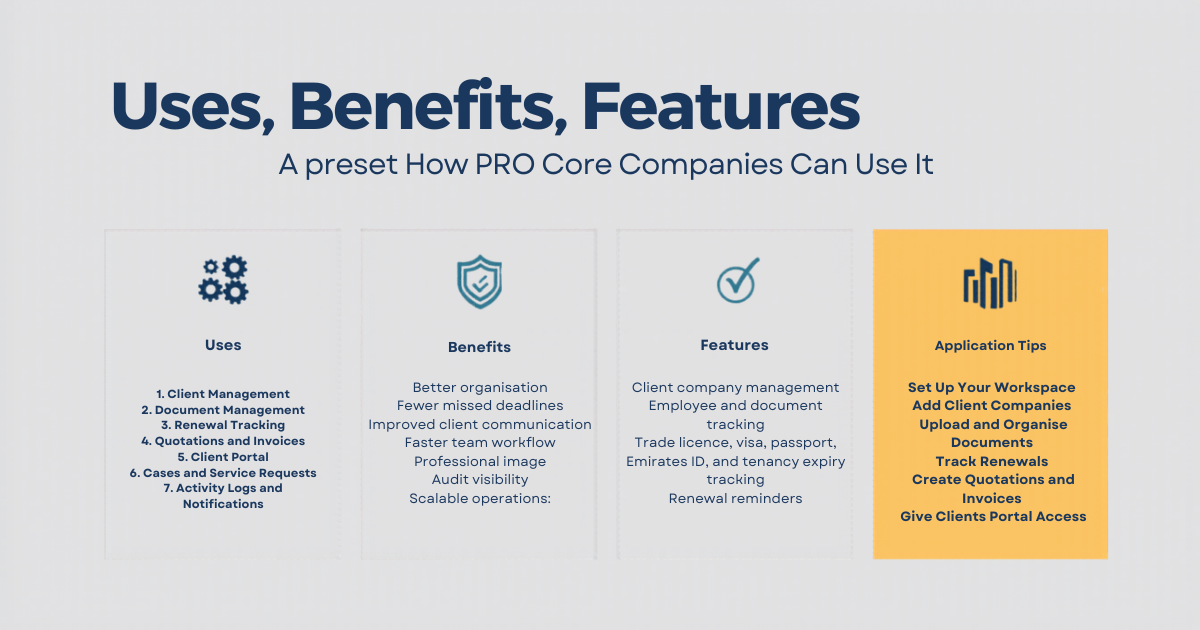
Main Uses of ProFlow360
1. Client Management
ProFlow360 allows you to create and manage client company profiles with contact details, company information, documents, employees, service history, cases, invoices, payments, and activity logs.
2. Document Management
The system helps you store and manage important client documents such as trade licences, passports, visas, Emirates IDs, tenancy contracts, and other business documents. Documents can be organised by client and category, making them easier to find and manage.
3. Renewal Tracking
One of the most important features is renewal management. ProFlow360 helps track expiry dates and upcoming renewals so your team can act before documents expire. This is useful for trade licences, visas, passports, Emirates IDs, tenancy contracts, and other compliance-related documents.
4. Quotations and Invoices
Your team can create quotations and invoices directly from the platform. Clients can receive quotations, review them, and accept or reject them through the client portal. Invoices and payment links can also be managed from the system.
5. Client Portal
ProFlow360 includes a client portal where clients can log in, view required documents, upload documents, check quotations, view invoices, submit payment receipts, and communicate through service requests.
6. Cases and Service Requests
Clients and internal team members can create cases or service requests. This helps keep communication organised instead of relying only on WhatsApp or email. Each case can include messages, updates, and status tracking.
7. Activity Logs and Notifications
The system records activity so administrators can see what was updated, who performed the action, and when it happened. Notifications help users stay informed about important actions such as document requests, invoice updates, quotation updates, and case messages.
Key Benefits of ProFlow360
- Better organisation: Keep clients, documents, invoices, renewals, and cases in one place.
- Fewer missed deadlines: Track expiry dates and renewal reminders before they become urgent.
- Improved client communication: Give clients a portal to upload documents, view requests, and track progress.
- Faster team workflow: Reduce manual searching, repeated follow-ups, and scattered communication.
- Professional image: Present quotations, invoices, payment links, and client communication in a structured way.
- Audit visibility: Track activities and updates across the platform.
- Scalable operations: Manage more clients without depending only on spreadsheets and manual reminders.
Important Features of ProFlow360
- Client company management
- Employee and document tracking
- Trade licence, visa, passport, Emirates ID, and tenancy expiry tracking
- Renewal reminders
- Quotation creation and client approval flow
- Invoice and payment tracking
- Payment links and receipt uploads
- Client portal access
- Service request and case management
- In-app notifications
- Activity logs
- Role-based access for team members
- Public website, pricing, contact, and blog management
How to Use ProFlow360
Step 1: Set Up Your Workspace
After signing up, create your company workspace and add your company details, logo, contact information, default currency, and email settings.
Step 2: Add Client Companies
Create client company profiles and add their business details, contact persons, employees, and required documents.
Step 3: Upload and Organise Documents
Upload trade licences, passports, visas, Emirates IDs, tenancy contracts, and other required documents. Add expiry dates where needed so the system can help track renewals.
Step 4: Track Renewals
Use the renewal dashboard to monitor upcoming expiries. This helps your team take action early and avoid last-minute pressure.
Step 5: Create Quotations and Invoices
Prepare quotations and invoices for your clients directly from the system. Clients can review quotations through their portal and respond accordingly.
Step 6: Give Clients Portal Access
Invite your clients to the client portal. They can upload missing documents, view quotations, check invoices, submit receipts, and communicate with your team.
Step 7: Manage Requests and Cases
Use the cases module to manage client requests and internal updates. This keeps communication clear and reduces confusion.
Step 8: Review Reports and Activity
Use activity logs, dashboard cards, and reports to understand what is happening across your workspace and improve operational control.
Who Should Use ProFlow360?
ProFlow360 is suitable for:
- PRO service companies
- Business setup consultants
- Corporate service providers
- Document clearing companies
- Visa and licensing service providers
- Companies managing multiple client renewals and compliance records
Conclusion
ProFlow360 is designed to help PRO service companies move from manual work to a more organised digital workflow. It gives your team better control over clients, documents, renewals, quotations, invoices, payments, and communication.
For growing PRO companies in the UAE, a structured system like ProFlow360 can save time, reduce missed deadlines, improve client experience, and make the business easier to manage at scale.